

Action cameras traditionally were used to capture extreme sports, but with the introduction of the Insta360 GO 3, this action camera is small enough to be mounted on your pet to capture the unique perspective from your pet’s view. In this review, we’ll explore how the Insta360 GO 3 performs, how to use it as a pet camera, and whether you should get this camera for your video making.
Where to buy
The Insta360 GO 3 is available on Amazon, as well as directly from the manufacturer which ships from China.
Affiliate Links (As an Amazon Associate I may earn a commission from qualifying purchases. This will not affect the price of your purchases.)
The camera comes with various bundles of accessories, but for a pet camera, the basic bundle with the Easy Clip is all you’ll need. The camera also comes in 32 GB, 64 GB, or 128 GB options, which will determine how many files can be saved on the camera before you’ll need to download them onto your phone or computer. For reference, the 64 GB has a 4h19m record time.
Mounting the camera
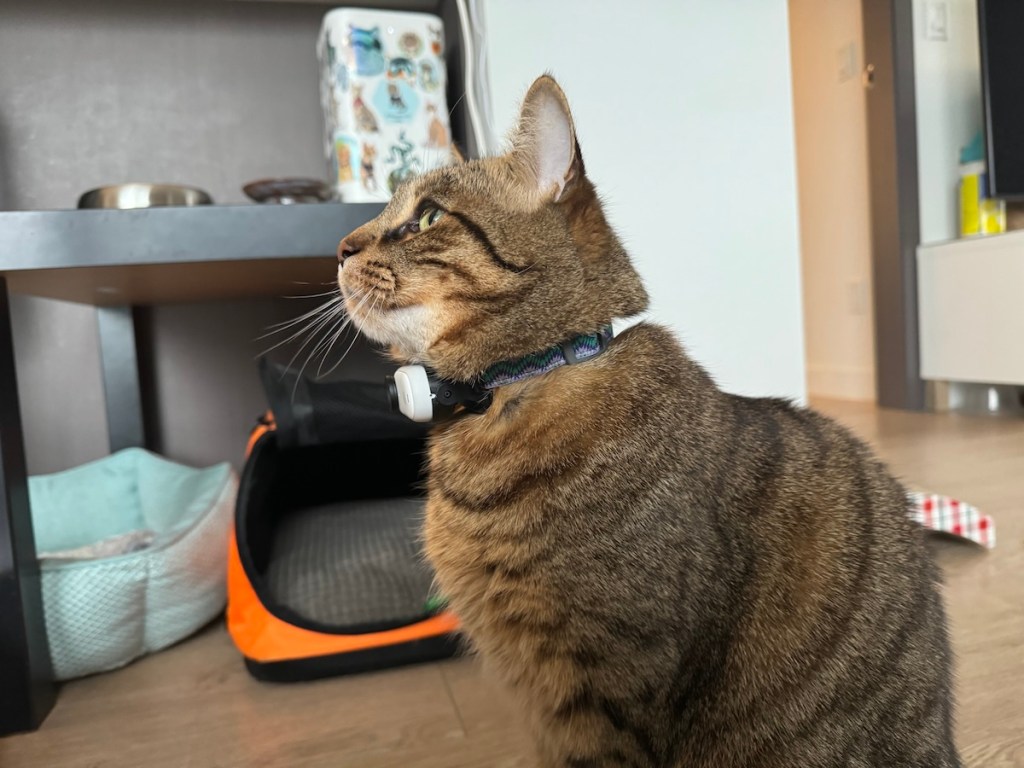
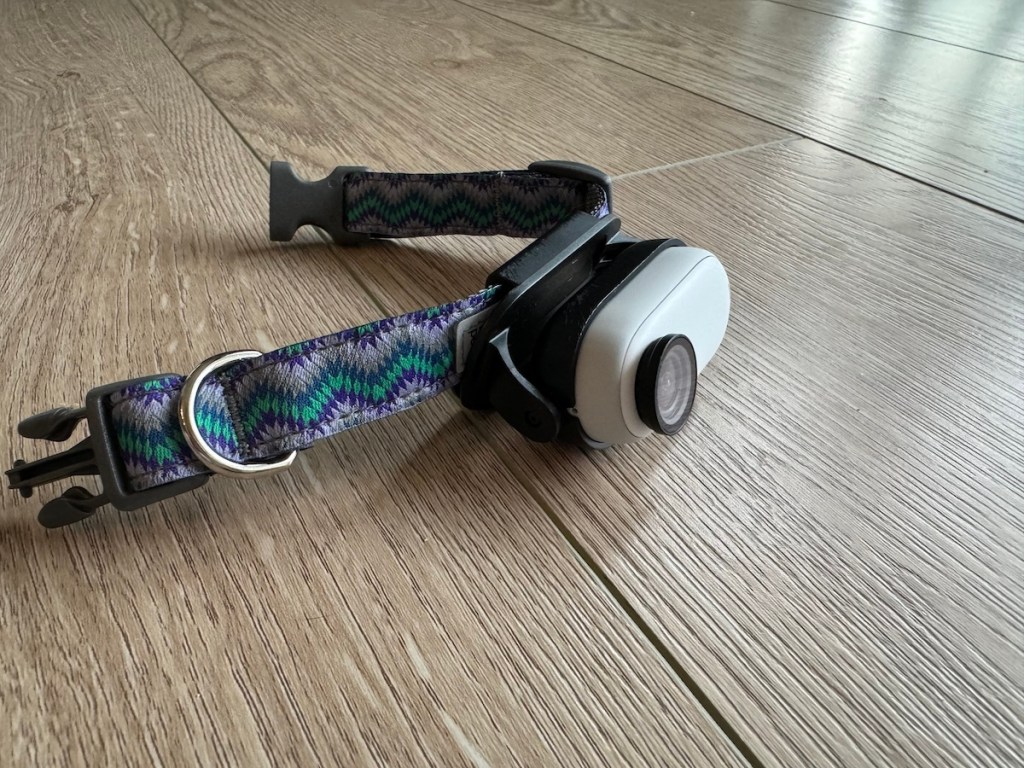
The action camera comes with an Easy Clip, which was designed to be clipped onto a baseball cap, to capture the POV of the person wearing it. For a pet, the Easy Clip can be clipped onto the collar, with some trial and error adjustments to the angle so its not pointed at your pet’s chin or directly at the floor.
I found the best perspective is where you can see the whiskers and paws as they walk. This framing really makes the viewer believe they are seeing the screen as a cat, and not just a low angled camera. The camera is also able to capture audio, so if your cat meows, it will be captured.
The camera weighs 35g, which did not seem to bother my cat at all.

Recommended Settings
These are my recommended settings:
- Aspect Ratio: 16:9
- Field of View: Ultra Wide Angle
- Filter: Vivid
- Orientation Lock: On
Controls
The camera can be controlled using the Action Pod, or the Insta360 App on your smartphone. With both the Action Pod and phone app, you’ll have a live view, as well as a record / stop button. The phone app will allow you to download the videos from the Action Pod onto your phone. Alternately, you can connect the Action Pod via USB cable to your computer.
Field Test
I tested this camera on 3 separate occasions, and the camera performed similarly each time. It takes a little time to learn where to find all the settings are located on the menus, but once you figure out the settings, its as simple as putting the camera on, adjusting the angle, and starting the recording.
| Usability | 3.5 / 5 |
| Cat Comfort | 4.5 / 5 |
| Video Quality | 3 / 5 |
Usability
I found the camera simple to use (once I had the correct settings), as the only function is the record / stop. Getting the correct camera angle takes a bit of practice, as I want to see the whiskers and paws, but once you get the correct angle, it stays there and you won’t have to adjust it again.
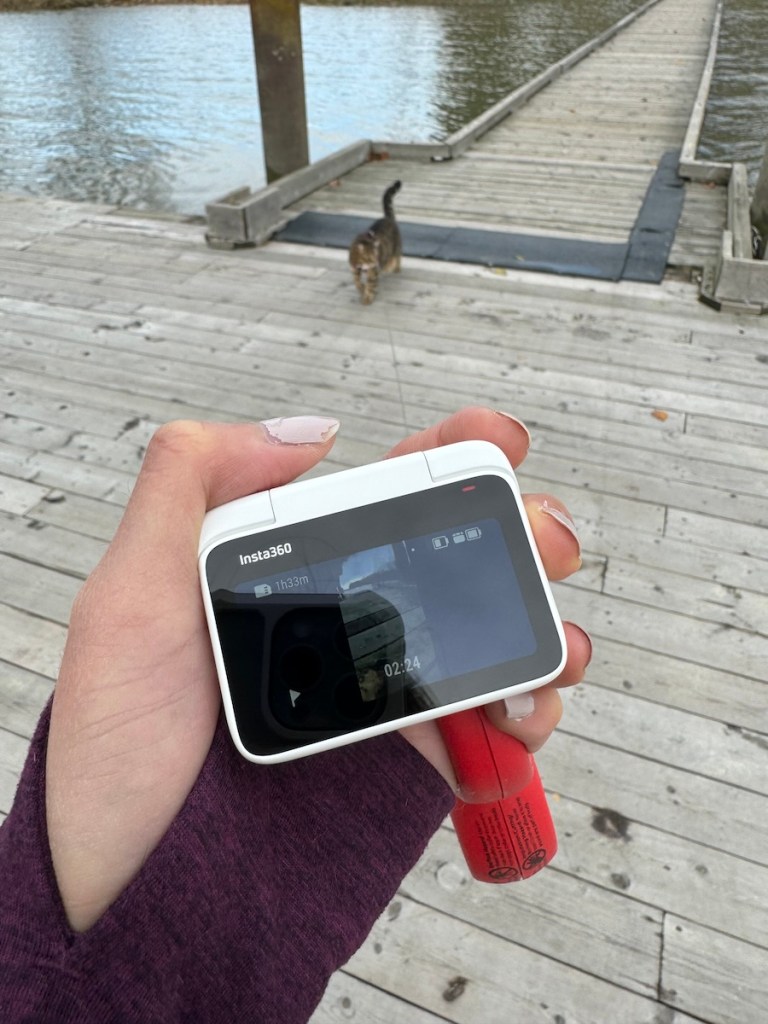
My main issue with the Action Pod is it would disconnect from the camera if I was more than 2-3ft away. The video continues to record, but you aren’t able to start or stop recording if you aren’t close to your pet. The Action Pod was clearly designed to be used by the same person the camera is on, and in that case, it wouldn’t be a problem. But since I am sometimes a couple of steps away from my cat, it was a little frustrating to have to wait for the Action Pod to reconnect to the camera before I could control it.
The other issue is the battery life. The little camera is rated for 45 minutes of recording, and 173 minutes if placed inside the Action Pod. Since my main goal was to capture cat POV videos, that meant I only had 45 minutes of video time before the camera ran out of battery. This would depend on what you’re filming for the day, and 45 minutes may be enough, but for me, I had planned to film us on longer hikes and adventures so the 45 minutes runs out pretty quickly.

Cat Comfort
I did not find the camera to be particularly uncomfortable for my cat, and he seemed quite unbothered by it. However, 35g is a noticeable weight, so you won’t want this camera on your cat for more than a few hours. I also find the camera to rest at a bony spot on my cat’s throat, but again, he did not seem bothered by it.
One thing to caution is if your cat likes to interact with the environment, such as rolling around on concrete surfaces, the camera may become scratched. There are protective skins and lens protectors you can get to protect the camera from scratches.
Video Quality
This camera is able to capture the following video formats:
- 2.7K: 2720×1536 24/25/30fps
- 1440P: 2560×1440 24/25/30/50fps
- 1080P: 1920×1080 24/25/30/50fps
In practice, the videos are fine, especially if you are using it primarily for Instagram or Tiktok. They are noticeably a step down from the latest iPhone videos, but for a tiny camera, its still impressive.
Sample video: quality reduced for gif format

Published sample videos;
Youtube (landscape) video: https://youtu.be/GnBBOlQwPX0?si=7YtK3ZljV8tgsmNJ
Tiktok (vertical) video: https://www.tiktok.com/@theoretically.teddy/video/7300600026269928709
Overall Rating
I gave this camera an overall rating of 3.5. I like that it is the first camera that is able to be used as a cat POV, and it opens a new world of capturing unique perspectives and video content. The camera functions as promised, and produces decent enough videos. Where it’s lacking is the battery life, and Action Pod constantly disconnecting due to distance. For me personally, I found taking a separate device to be too clumsy, and I prefer using my phone as I always have it on it. I ultimately decided to return this camera, not because of any fault of the camera itself, but rather due to the way I like to shoot my videos using my phone.
 Theoretically Teddy
So you have to stay close to your cat for it to keep recording? I want to know where my cat is disappearing to when she’s outside so this wouldnt work for me?
LikeLiked by 1 person
If you’re looking to keep an eye on your cat outdoors, a traditional indoor pet camera might not be the best solution since most rely on motion detection within a certain range. However, there are GPS-enabled pet trackers designed specifically for monitoring pets when they’re outside. These trackers can show you your cat’s location in real-time without needing to be nearby. If you still prefer a pet camera, consider it https://hometechsupply.com/best-pet-cameras-2023-choosing-ideal-one-for-furry-friends/
LikeLike
Sorry for the late reply! You dont have to stay close to continue recording, you just have to be connected to start / stop the recording (or any other controls). You could leave it recording out of range until it runs out of battery!
LikeLike